
Beginners Guide: Starting items
Starting items overview
When you create a world with Better on Bedrock, special items appear in your inventory to help customize and manage the add-on features, quests, and progress.

What Are These Items For?
These items let you control and interact with Better on Bedrock’s expanded gameplay by accessing quests, achievements and a placeable guidebook if you have any questions.
Guidebook

Guidebook
A placeable, interactive book that helps guide players.
| Description |
|---|
| - Can be placed in the world. - Allows players to read through game mechanics, changes, and features - Clickable page turning to explore different topics - Useful for new players or as a reference throughout your adventure |
Config Gear

Config Gear
This tool lets you change certain add on settings mid-game.
| Description |
|---|
| - Enable/disable Player Corpse on death - Enable/disable the What Am I Looking At (WAILA) UI - Enable/disable Ambient Sounds and Biome Fog visibility Use this gear to tailor your experience as you explore the world. |
Quest Scroll
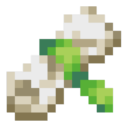
Quest Scroll
Track and manage your progress through quests.
| Description |
|---|
| - Open by interacting - Displays Main Quests and Purchased Side Quests - Opens a UI menu when interacted with - Purchase additional quests from Librarians |
Goal Tracker
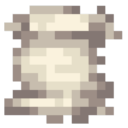
Goal Tracker
Monitor your personal progress and in-game accomplishments.
| Description |
|---|
| - See completed Advancements and Milestones - Track gameplay progress - Note: No rewards for tracked goals, but main quests do offer them |
Using These Items Together
- Use Config Gear to adjust gameplay systems
- Keep track of goals with the Goal Tracker
- Follow the story with the Quest Scroll
These items together form the core of Better on Bedrock’s enhanced progression and player control.